Claude Code Integration Guide
What's Claude Code
Claude Code is an AI-powered coding assistance published by Anthropic that provides a terminal interface, allowing developers to delegate complex programming tasks directly from the terminal to Claude Code for completion.
What's Siraya AI AI General Conversion Layer
Siraya AI AI General Conversion Layer lets you run the Claude Agent SDK against any model in Siraya AI AI—without changing your agent logic.
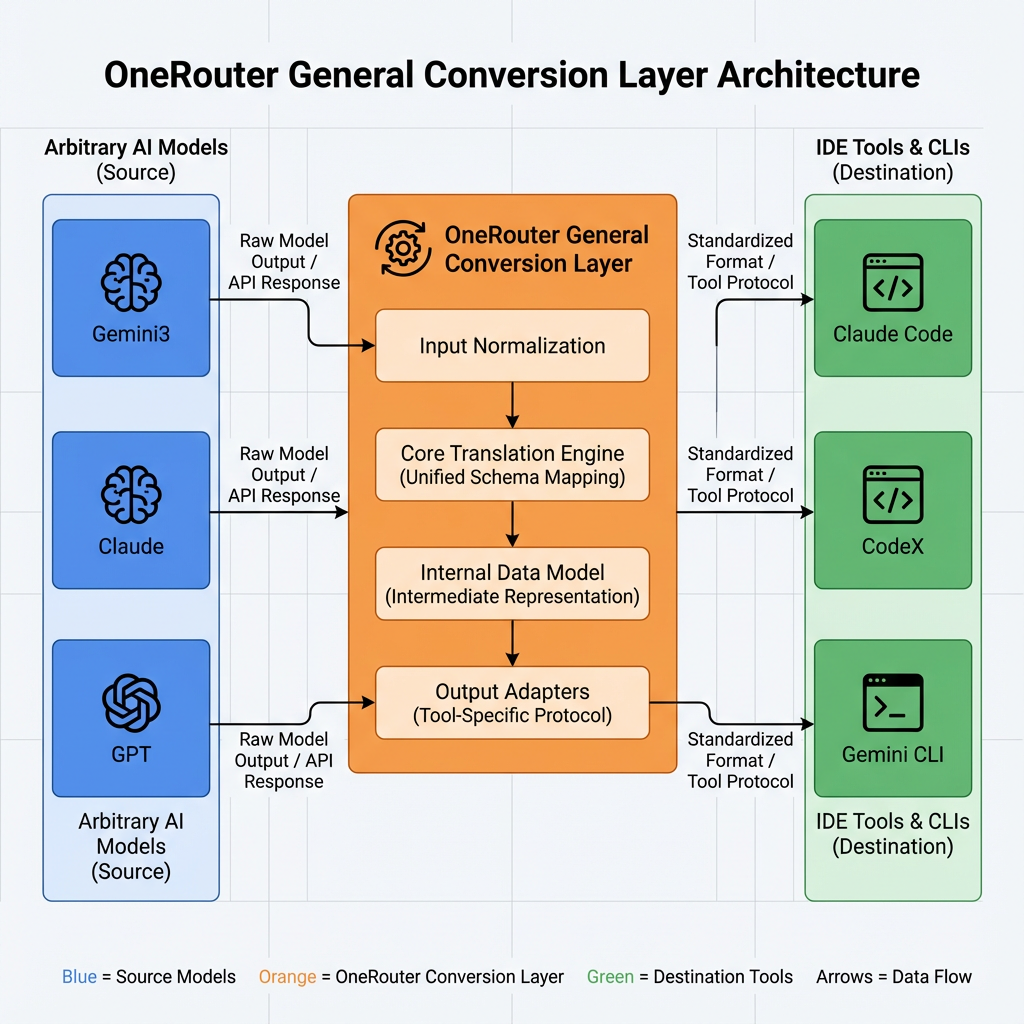
With the Siraya AI AI General Conversion Layer, developers can keep using the same SDK APIs. The conversion layer translates Anthropic-style Messages requests to whichever upstream (Anthropic、OpenAI or other models in Siraya AI AI) matches the model string you provide.
What We Help You Achieve
With Siraya AI AI, developers can seamlessly integrate and utilize a wide range of AI model combinations. Through Siraya AI AI, you can use Claude code powered by different underlying model engines, including:
- Gemini 3 models as the core runtime for executing Claude code;
- GPT series models as the core runtime for executing Claude code;
- The full series of Claude models as the native core for executing Claude code.
This flexible architecture allows Siraya AI to unify multiple large language model ecosystems under a single interface, enabling developers to switch, combine, or optimize model performance for diverse code execution and reasoning scenarios.
Quick Start
Now, Siraya AI provides Anthropic SDK compatible LLM API services, enabling you to easily use Siraya AI AI LLM models in Claude Code to complete tasks. Please refer to the guide below to complete the integration process.
1. Setup your Siraya AI account & api keys
The first step to start using Siraya AI is to create an account and get your API key.
2. Install Claude Code
Info
Before installing Claude Code, please ensure your local environment has Node.js 18 or higher installed.
To install Claude Code, run the following command:
3. Setup the Claude Code configuration
Open the terminal and set up environment variables as follows:
# Set the Anthropic SDK compatible API endpoint provided by Siraya AI AI.
export ANTHROPIC_BASE_URL="https://llm.siraya.pro"
export ANTHROPIC_AUTH_TOKEN="<API Key>"

# Set the model provided by Siraya AI AI.
export ANTHROPIC_MODEL="anthropic/claude-sonnet-4.5"
export ANTHROPIC_SMALL_FAST_MODEL="anthropic/claude-haiku-4.5"
export ANTHROPIC_DEFAULT_HAIKU_MODEL="anthropic/claude-haiku-4.5"
export ANTHROPIC_DEFAULT_OPUS_MODEL="anthropic/claude-haiku-4.5"
export ANTHROPIC_DEFAULT_SONNET_MODEL="anthropic/claude-haiku-4.5"
4. Start your first session
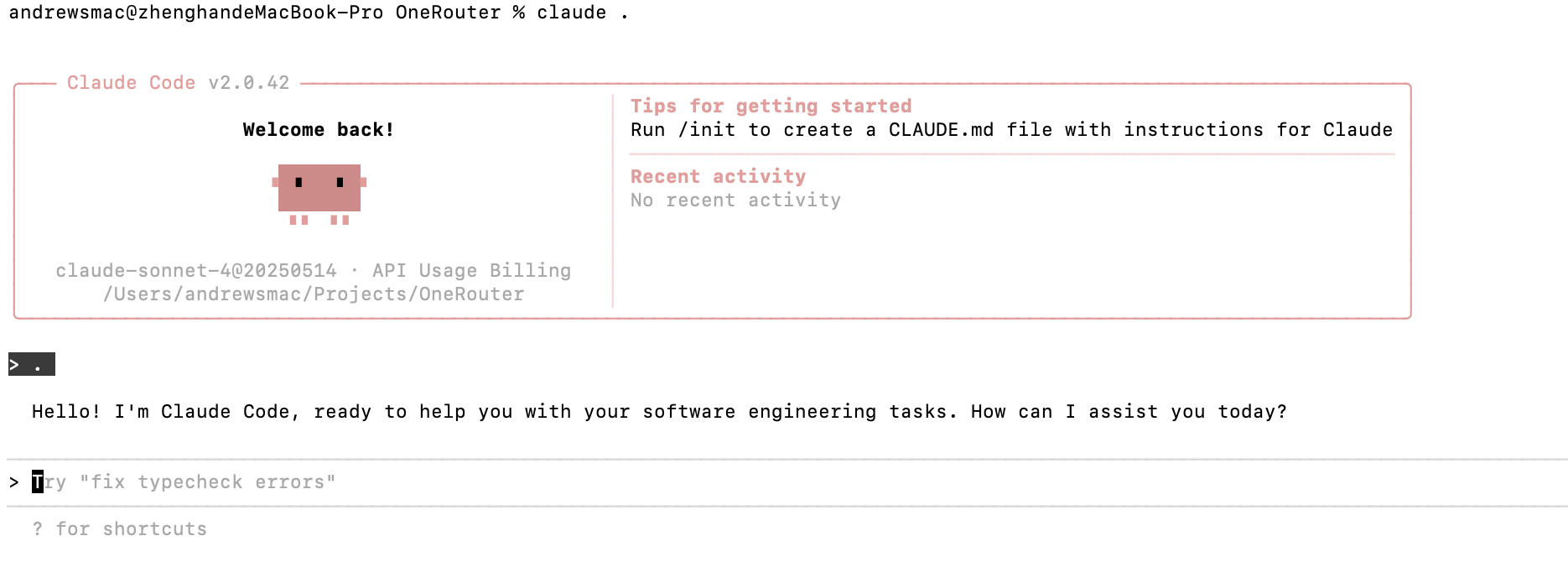
Next, navigate to your project directory and start Claude Code. You will see the Claude Code prompt inside a new interactive session:
Common Commands
| Command | Description | Example |
|---|---|---|
claude |
Start interactive mode | claude |
claude "task description" |
Run a one-time task | claude "fix the build error" |
claude -p "query" |
Run one-off query, then exit | claude -p "explain this function" |
claude -c |
Continue most recent conversation | claude -c |
claude -r |
Resume a previous conversation | claude -r |
claude commit |
Create a Git commit | claude commit |
/clear |
Clear conversation history | > /clear |
/help |
View available commands | > /help |
exit or Ctrl+C |
Exit Claude Code | > exit |