Asset Management for Seedance 2.0 & 2.5
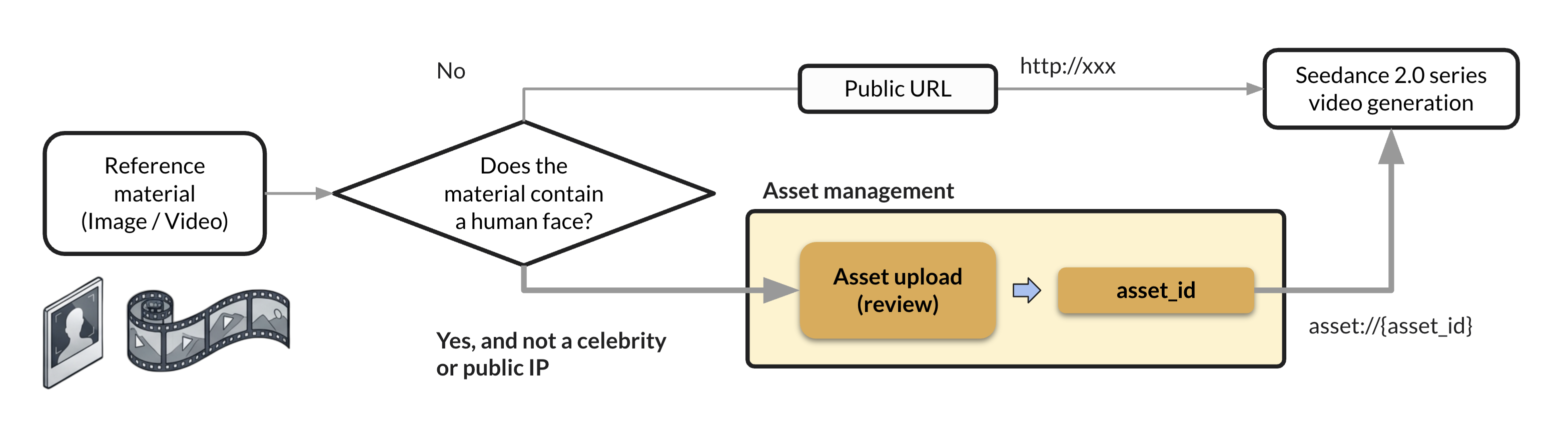
SIRAYA-Seedance-2.0 Family (including SIRAYA-Seedance-2.5) can use a reference image or video to steer generation — copying a motion, keeping a character consistent across shots, or swapping in a specific face. This guide covers the one rule that trips people up: reference material containing a human face can't be passed as a plain URL. It has to go through the Asset Management API first.
Access — this feature is opt-in
Asset Management is not enabled by default. If calls return 403 FEATURE_INACTIVE, contact us to have it turned on for your account. See the Asset Management API overview for the full access model.
Why Reference Material with Faces Needs an Asset
When your reference image or video contains a human face (not a celebrity or public figure), Seedance 2.0 and 2.5 require that material to be a trusted asset before it can be used — you can't pass a public URL directly. Upload the face-containing image or video through the Asset Management API first, then reference the resulting assetId in your generation request.
Any other reference material (no human face, or the face belongs to a celebrity/public figure) is passed the normal way — a plain public URL.

Celebrities and public figures are not supported
The Asset feature does not support uploading portraits of celebrities, public figures, or similar likenesses, regardless of whether you use it for face-swap or motion reference.
What This Enables
| Use case | Input | Result |
|---|---|---|
| Motion reference | An amateur motion video + a character image | The character performing the motion from the video |
| Character consistency | A single face image (uploaded as an asset) | Multiple short videos of the same person across different backgrounds/scenes |
Quickstart
- Upload the face-containing image or video as an asset, via the Platform UI or the API.
- Obtain the
assetIdfrom the upload response (or the UI). - Call Seedance 2.0 or 2.5 with
input_referencespointing atasset://{assetId}so the generated video references the content in that asset.
Method 1: Upload via the Platform UI
-
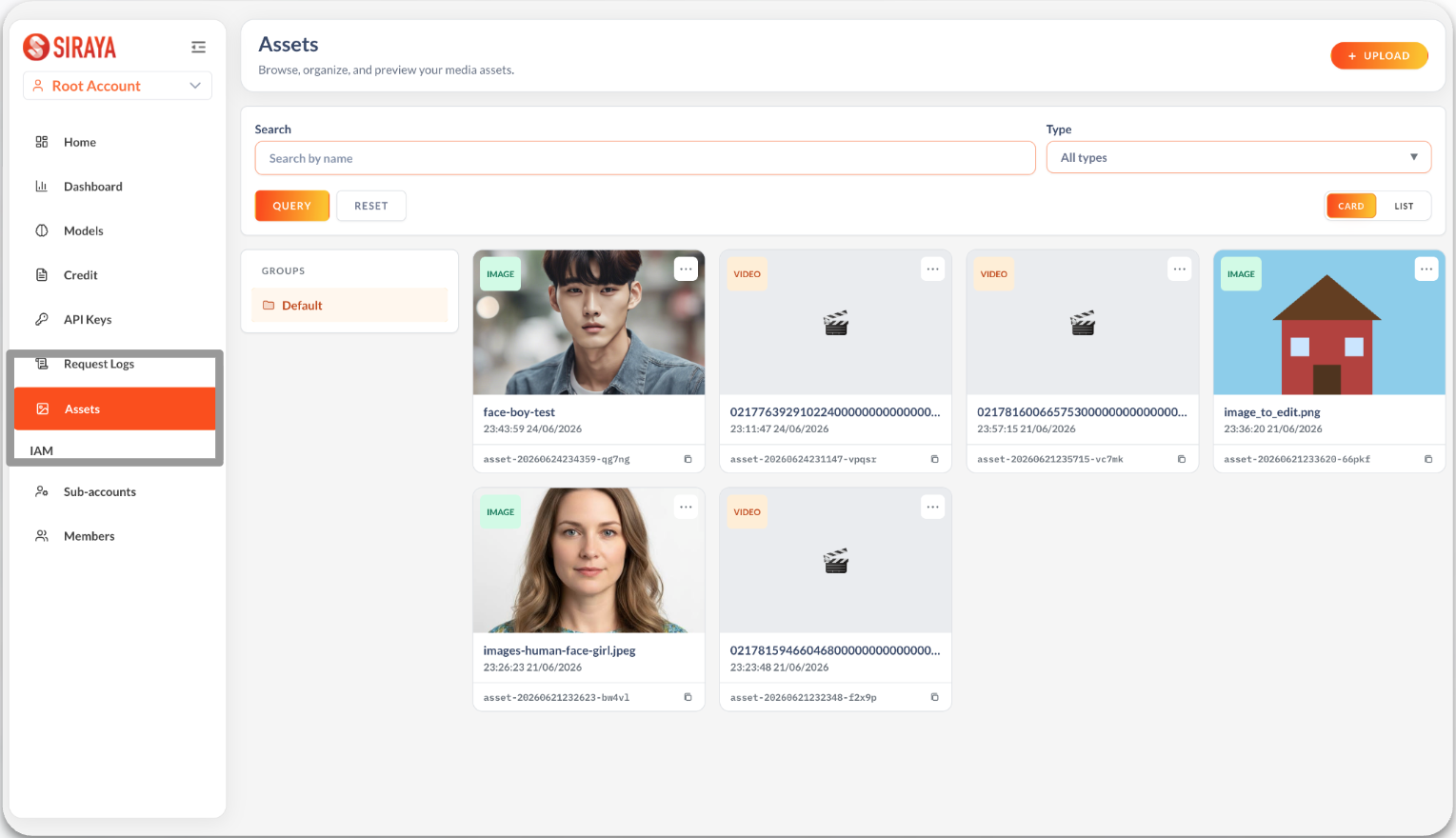
In the console, open Assets in the left-hand navigation.
-
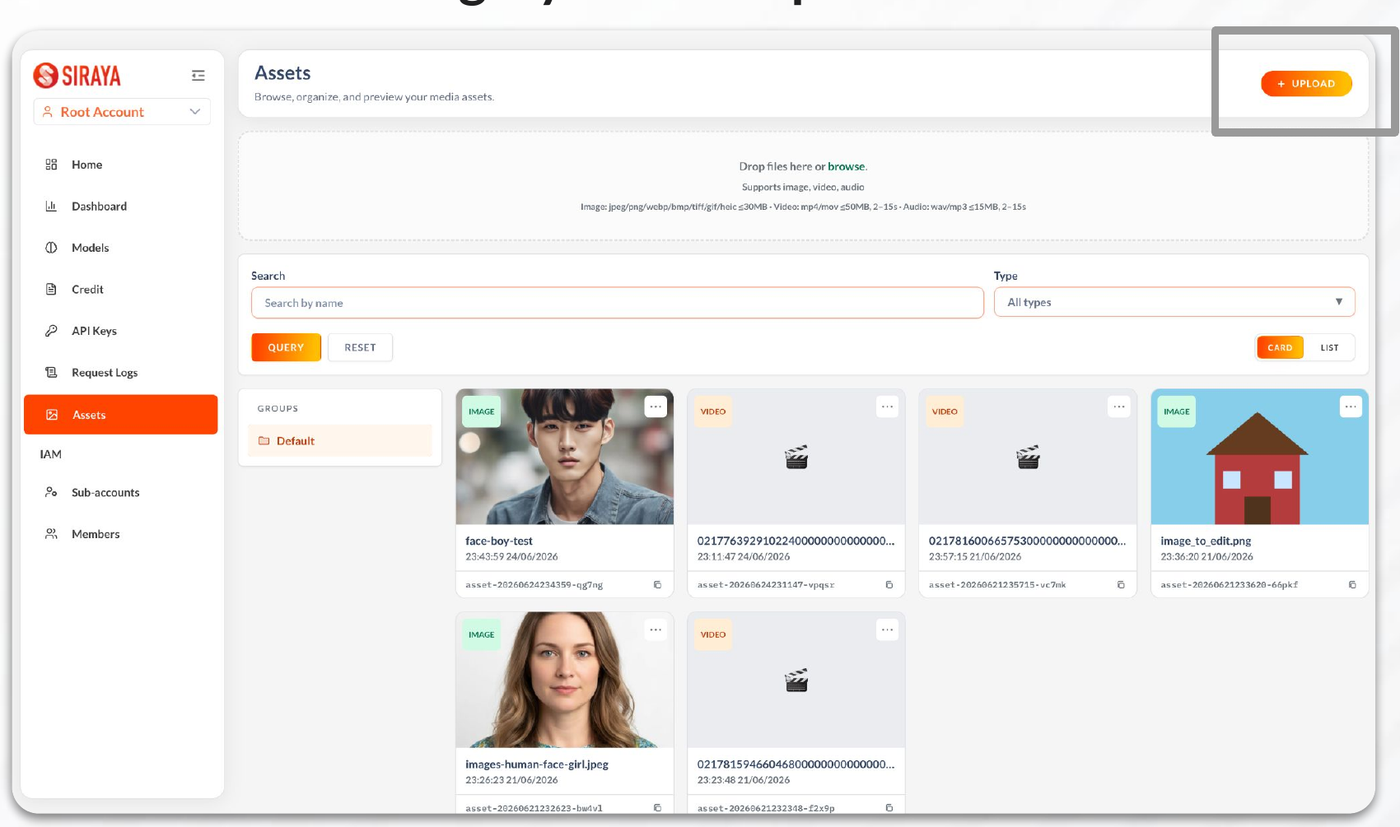
Click Upload in the top-right corner, then drag your face-containing image or video into the drop zone (or click to browse). Supported: image, video, audio.
-
After the upload finishes, click the asset and confirm Status =
activebefore using it — an asset that's stillprocessingisn't ready for generation. Copy its Asset ID from the detail panel.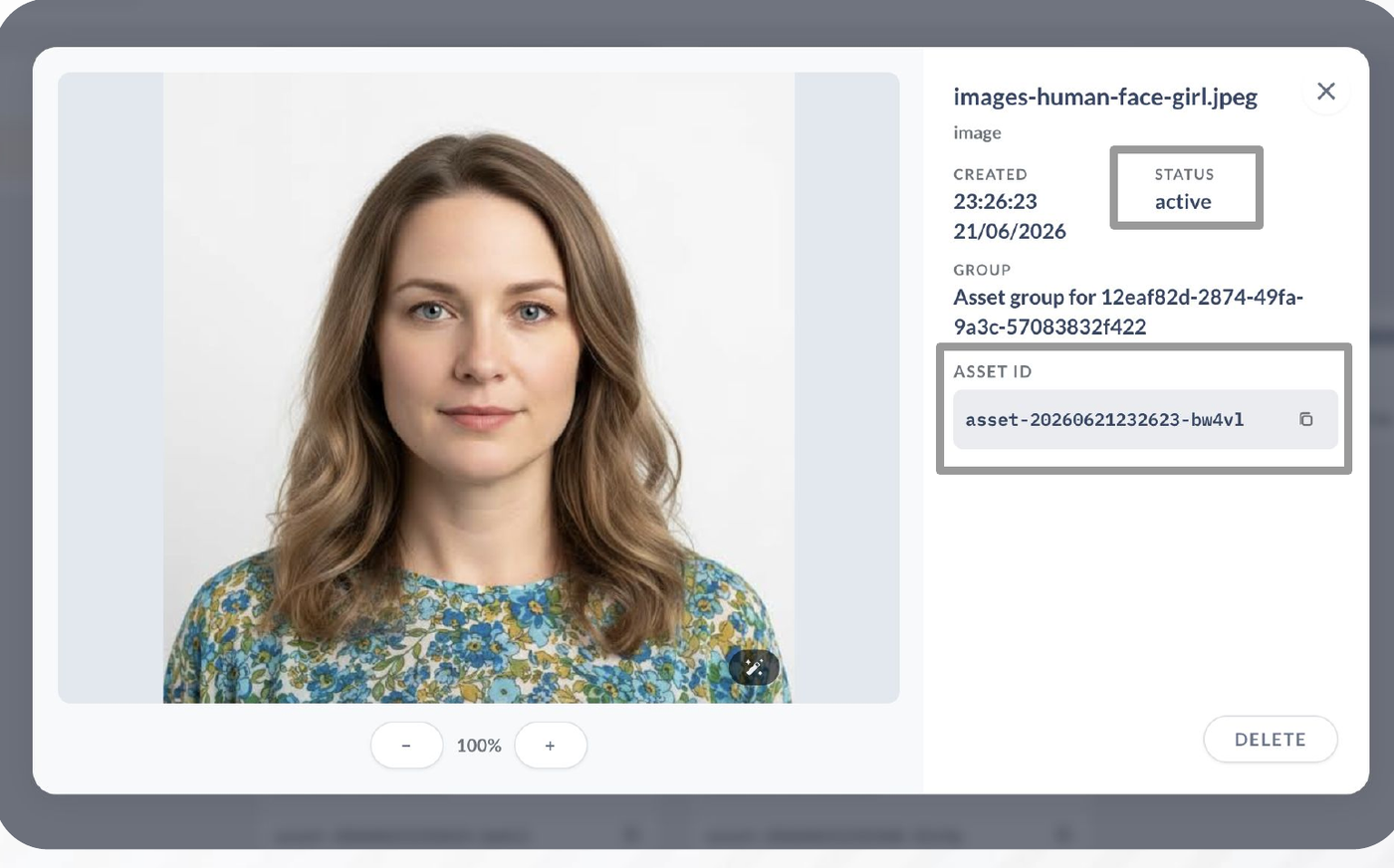
-
Place the Asset ID in your Seedance 2.0 or 2.5 request as
asset://{assetId}(see below).
Tip
Uploads are asynchronous. If the asset still shows processing right after upload, wait a moment and re-open it — don't copy the Asset ID until status is active.
Method 2: Upload via the API
Use the Asset Management API directly:
| Action | Reference |
|---|---|
| Upload a file or a public URL | Upload an Asset |
Poll for status: "active" and read assetId |
Get an Asset |
| Browse existing assets | List Assets |
| Remove an asset you no longer need | Delete an Asset |
Passing the Asset to Seedance 2.0 / 2.5
Once the asset is active, reference it from input_references using the asset://{assetId} scheme instead of a public URL:
For a video asset, use "type": "video" and "role": "reference_video". See Seedance → input_references for the full parameter reference and mode-exclusivity rules.
FAQ
Why don't I see Assets in the console, or get 403 on the Assets API?
This feature is enabled per account on request. Contact us to have it turned on.
I have Assets enabled, but my sub-account's key gets rejected. Assets-related endpoints currently only work with your Root Account's API key. Sub-account keys aren't supported yet — use the Root Account key.
My generated video doesn't match what I expected from the reference asset.
First confirm the asset's status is active — a processing asset won't produce a correct reference. Then try a different prompt; output quality with reference materials can vary, and a few attempts are often needed.
Why can't I use the Group API (/assets/groups*) from the docs?
Asset Groups are a separate, VIP-only capability, not generally available. See Plans in the Asset Management API overview. Most integrations never need it — the standard single-asset workflow works without any groupId.
Related
- Asset Management API overview
- Upload an Asset · Get an Asset · List Assets · Delete an Asset
- Seedance — full request/response reference, including
input_references