Claude Desktop Integration Guide
What's Claude Desktop
Claude Desktop is Anthropic's desktop application for macOS and Windows. It gives you the full Claude chat experience in a native app, with file attachments, screenshots, and Model Context Protocol (MCP) tools.
How Claude Desktop Routes Through SIRAYA Model Router
Recent versions of Claude Desktop include a third-party inference option. When you select the Gateway (Anthropic-compatible) backend, the app sends its Messages API requests to whatever endpoint you configure instead of Anthropic's servers.
Because SIRAYA Model Router exposes an Anthropic SDK compatible API, you can point Claude Desktop at SIRAYA and run Claude — or any other model reachable through the router's Anthropic-compatible layer — directly inside the desktop app. This is the same routing you get in the Claude Code Integration Guide, configured through the GUI instead of environment variables.
Requirements
- A recent build of Claude Desktop that includes Configure Third-Party Inference (under the Developer menu).
- A SIRAYA Model Router account and API key.
- The Gateway must speak the Anthropic Messages API (
/v1/messages) — SIRAYA Model Router does.
Quick Start
1. Set up your SIRAYA Model Router account & API key
The first step is to create an account and get your API key.
2. Install or update Claude Desktop
Download the latest version from claude.com/download and install it. If you already have Claude Desktop, update it so the third-party inference option is available.
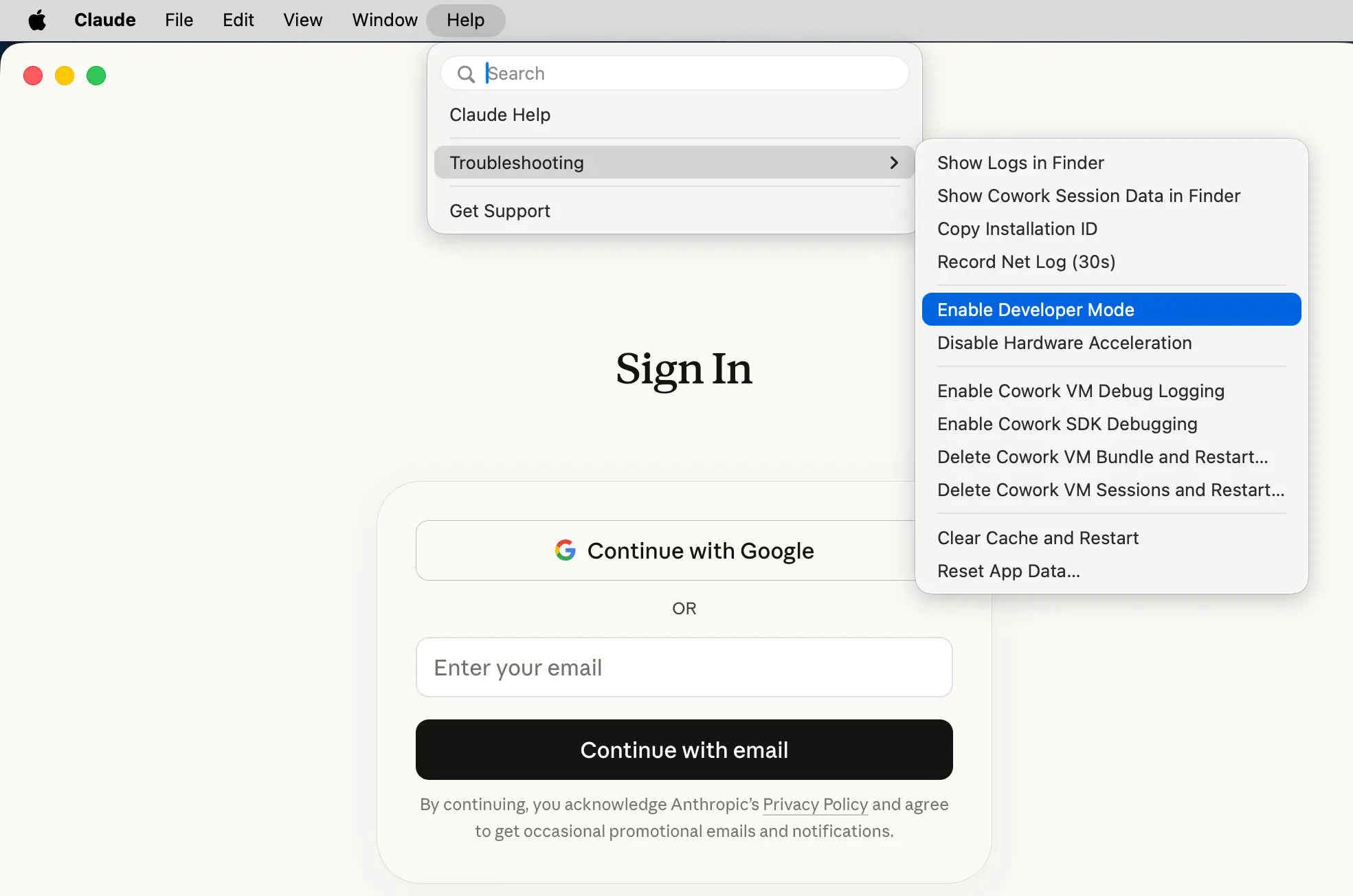
3. Enable Developer Mode
Open Claude Desktop, then go to Help → Troubleshooting and click Enable Developer Mode. This reveals the Developer menu used in the next step.
4. Configure Third-Party Inference
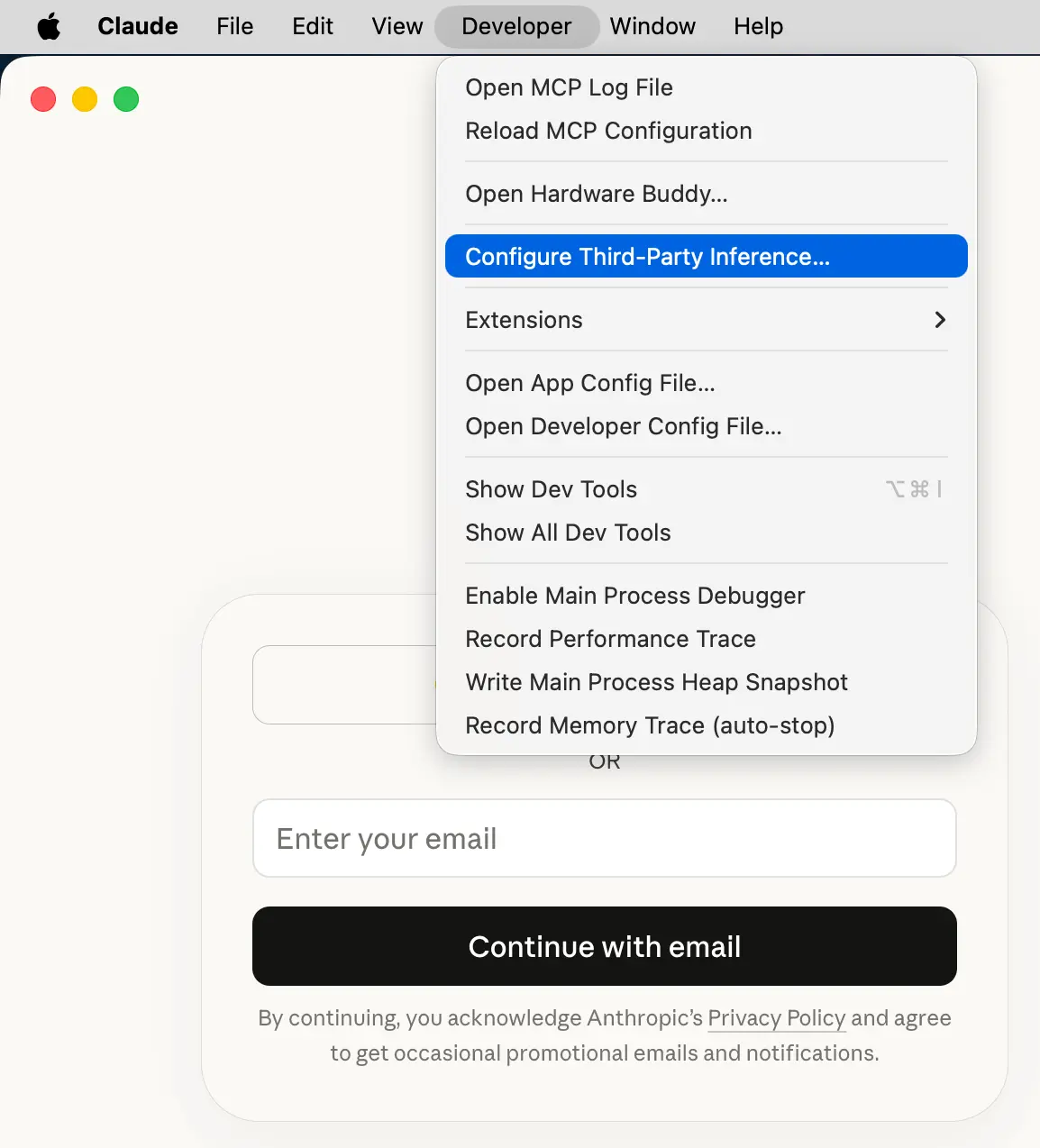
From the menu bar, open Developer → Configure Third-Party Inference….
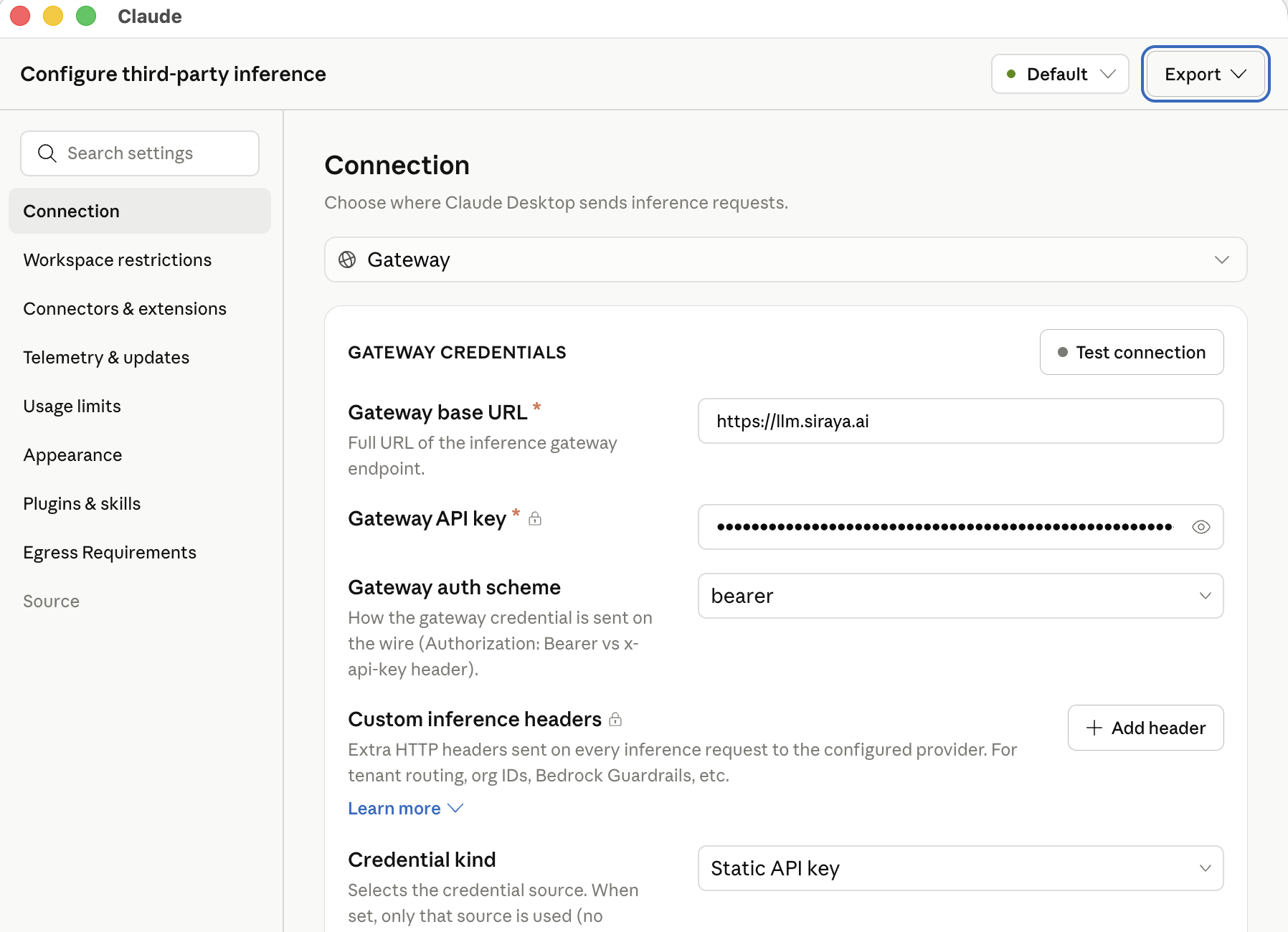
Set the backend to Gateway (Anthropic-compatible) and fill in the fields:
| Field | Value |
|---|---|
| Gateway Base URL | https://llm.siraya.ai |
| Gateway API Key | <API_KEY> |
| Gateway Auth Scheme | bearer |
| Model List (optional) | claude-sonnet-4.5, claude-opus-4.8, claude-haiku-4.5 |
Do not add /v1 to the Base URL
Claude Desktop appends /v1/messages to the Gateway Base URL for you. Enter the
root host (https://llm.siraya.ai) — not https://llm.siraya.ai/v1. If your
first request fails with a path like /v1/v1/messages, the /v1 suffix is doubled.
Auth scheme
SIRAYA Model Router authenticates with a bearer token, so keep Gateway Auth Scheme
set to bearer — the same credential the Claude Code guide
passes as ANTHROPIC_AUTH_TOKEN. The Model List field is optional: leave it blank to
auto-discover models, or pin specific SIRAYA model IDs to control what appears in the picker.
5. Apply and restart
Click Apply locally to save the configuration. Claude Desktop reads this configuration once at launch, so you must fully quit the app and reopen it for the change to take effect.
6. Continue with Gateway
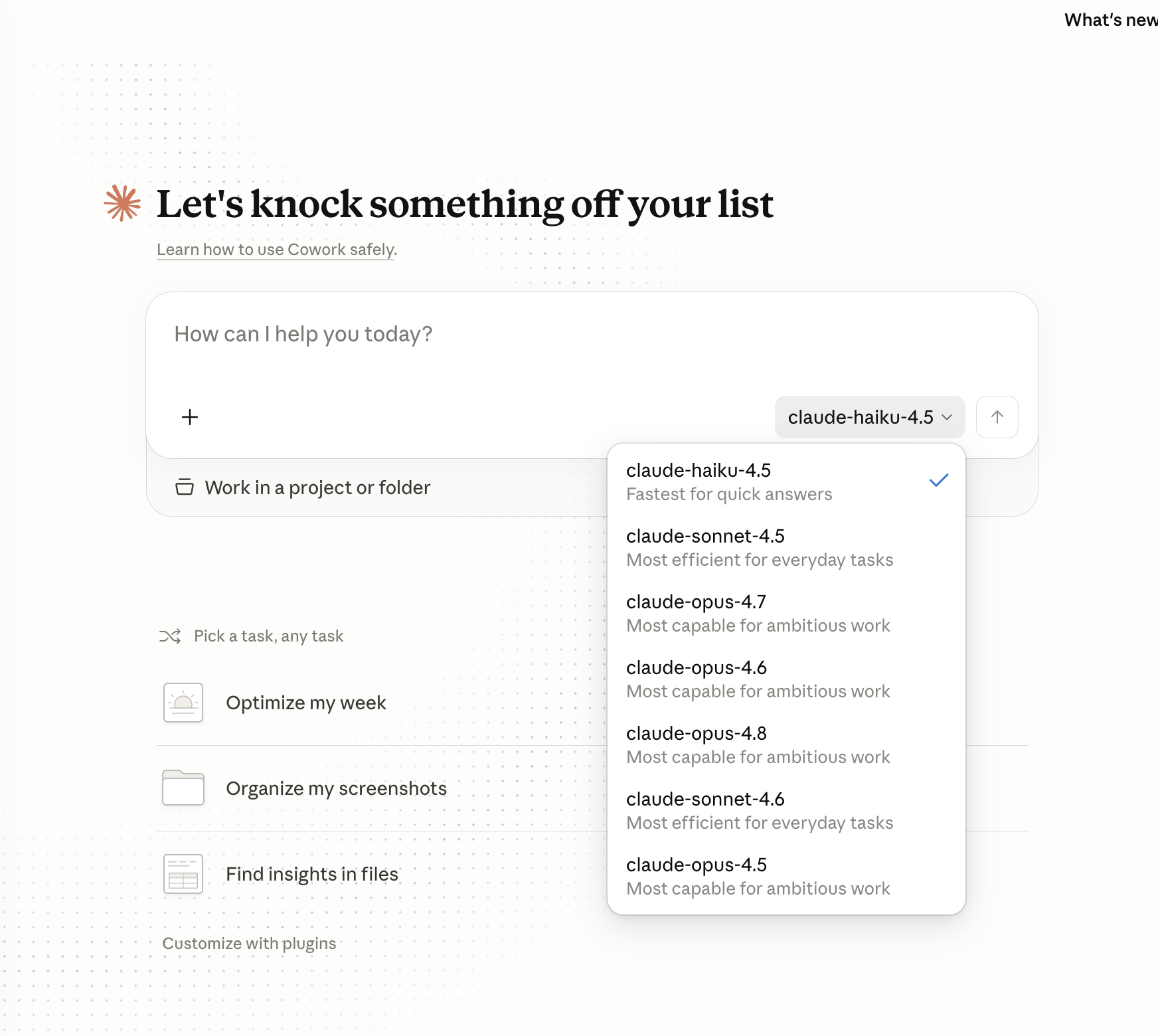
On the startup screen, choose Or sign in with Gateway (shown as Local configuration). The model picker now lists the SIRAYA Model Router models you can run — pick one and start chatting.
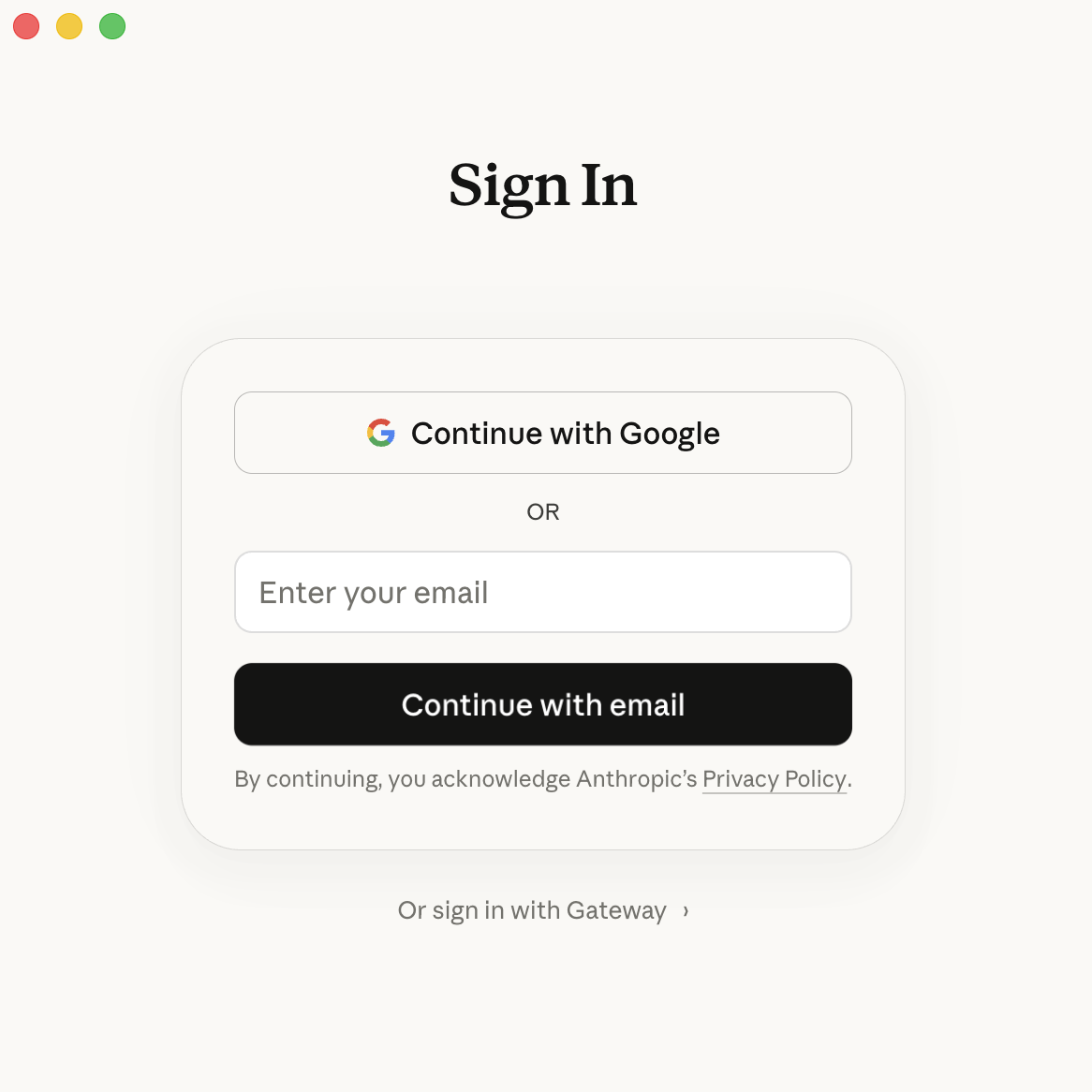
Choose the model you want to use. The picker shows the models from the Model List field, or the models auto-discovered from SIRAYA Model Router when that field is blank.
Field Reference
| Setting | Config key | Value |
|---|---|---|
| Backend / Provider | inferenceProvider |
gateway |
| Gateway Base URL | inferenceGatewayBaseUrl |
https://llm.siraya.ai |
| Gateway API Key | inferenceGatewayApiKey |
<API_KEY> |
| Gateway Auth Scheme | inferenceGatewayAuthScheme |
bearer |
| Model List (optional) | inferenceModels |
claude-sonnet-4.5, claude-opus-4.8, … |
Troubleshooting
Continue with Gateway doesn't appear on startup
Claude Desktop only offers this option after a valid configuration is saved. Re-open Developer → Configure Third-Party Inference…, confirm the four fields, click Apply locally again, then fully quit and reopen the app.
Requests fail or models don't load
- Verify your endpoint before configuring the app. From a terminal:
curl https://llm.siraya.ai/v1/messages \
  -H "Authorization: Bearer <API_KEY>" \
  -H "anthropic-version: 2023-06-01" \
  -H "content-type: application/json" \
  -d '{
    "model": "claude-sonnet-4.5",
    "max_tokens": 100,
    "messages": [{"role": "user", "content": "Hello"}]
  }'
- Check the Gateway Base URL has no trailing
/v1(see the warning above). - Make sure you fully quit the app after Apply locally — a window reload is not enough.
Related
- Anthropic SDK Compatibility — the API Claude Desktop talks to.
- Claude Code Integration Guide — the same routing for the terminal.
- Authentication — managing API keys.
- Configure third-party inference (Anthropic docs) — the underlying feature.