Console Tokens
A console token (csk-...) is the credential for the
External Console API. You generate and manage it in the console, on
your own profile page — there is no API for minting one.
Why tokens are not issued over the API
A token acts with your own permissions and can read the Console API, but it can never create or revoke another token. Generating one requires a signed-in session, so a leaked token cannot extend its own life or spawn a replacement.
Where to find them
- Sign in to the console and open Home.
- Open your profile from the account menu.
- Scroll past Profile details to the Console API tokens panel.
The panel lists every token you hold, with a Create token button in its top-right corner.
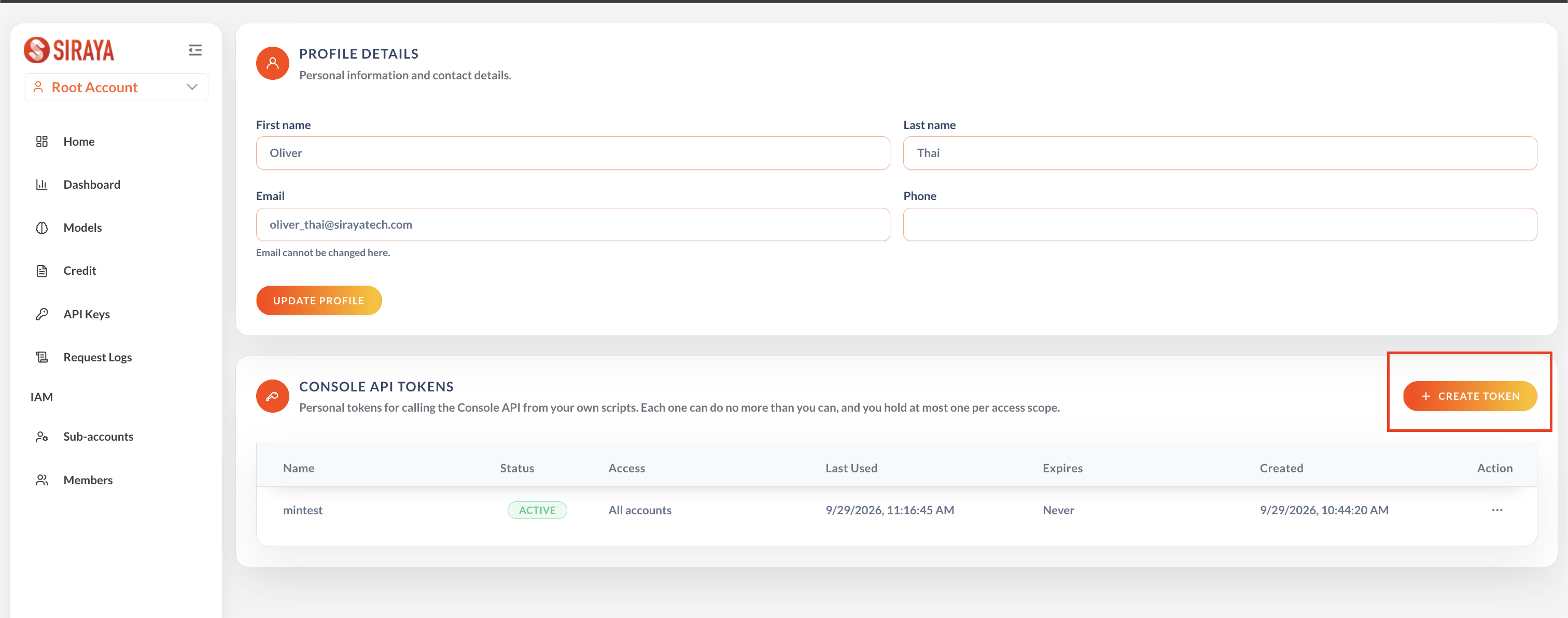
Create a token
Click Create token. The dialog asks for three things, all required:
| Field | What to enter |
|---|---|
| Name | Name it after the job that will hold it — reconciliation-job rather than token1 — so a token found in the wild can be traced back to what it was for |
| Expiration | Select a date and pick a date and time, or No expiration |
| Access | All accounts, or a single account to pin the token to |
Then click Generate token.
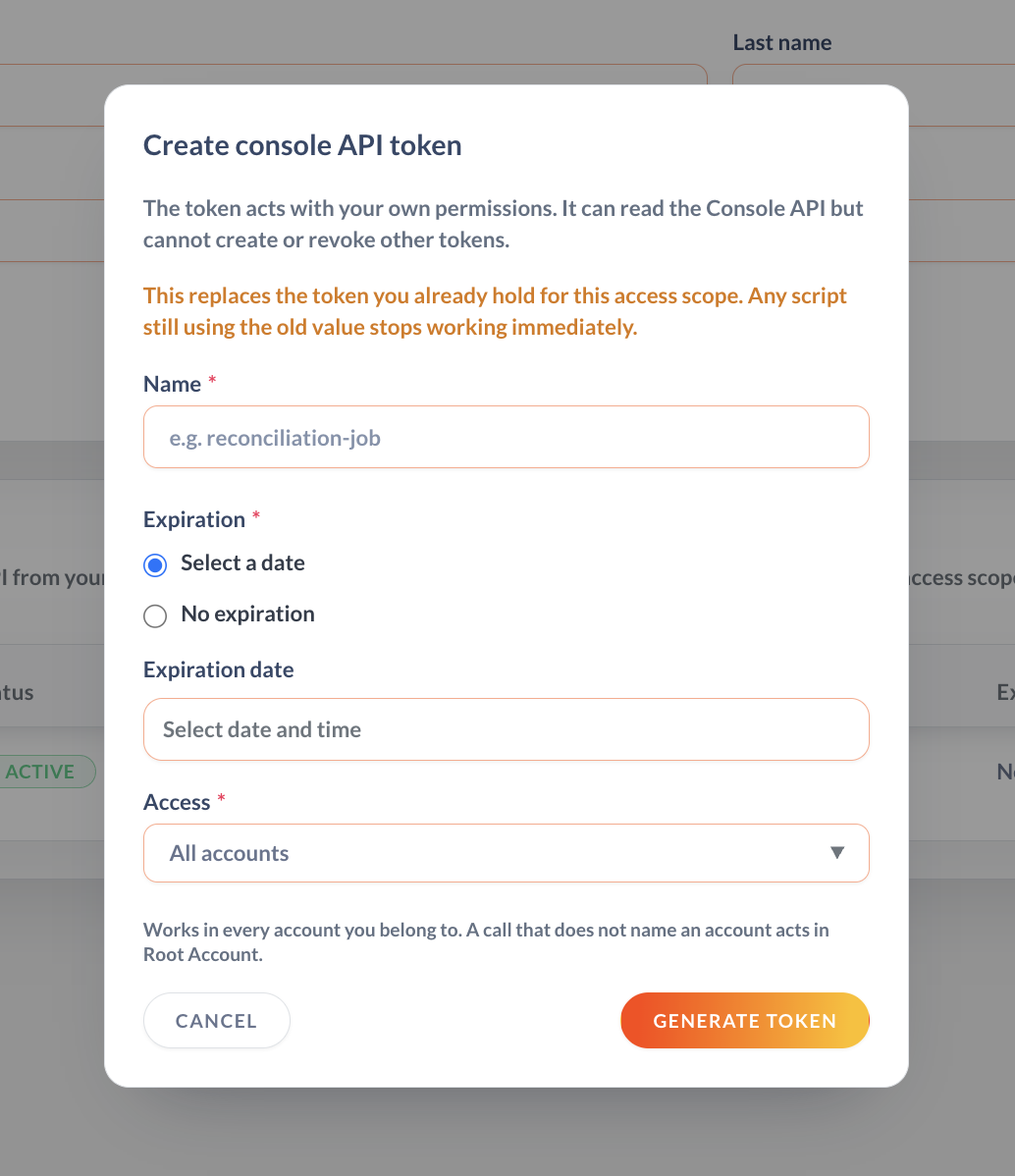
Generating replaces the token you already hold for that access scope
You hold at most one token per access scope. Creating a new one for a scope you already have immediately invalidates the old value — every script still using it stops working on its next call, with no grace period.
Roll the new value out before you generate it, or generate during a window where the old token going dark is safe.
The value is shown once
Only a hash is stored, so it cannot be recovered afterwards. Copy it while the dialog is open. Losing it means generating another — which, per the note above, kills the one you lost.
Reading the token list
| Column | What it tells you |
|---|---|
| Name | The name you gave it |
| Status | ACTIVE until you revoke it, or until it passes its expiry |
| Access | All accounts, or the single account it is pinned to |
| Last used | When a request last authenticated with it — the fastest way to tell whether a token is still in service before retiring it |
| Expires | Never, or the expiry you set |
| Created | When it was issued |
| Action | Rename, revoke, reactivate or delete |
Revoking takes effect on the next request — there is no cache to wait out.
Pinned or not
Access decides how far the token reaches:
- All accounts — the token works in every account you belong to. A call that does not name an account acts in your Root Account. See Choosing the account a request acts in.
- A single account — pinned. Requests may only act in that account; asking for another is refused even if you are a member of it.
Pin the token when it belongs to a job that should only ever touch one account. It limits the blast radius if the token leaks.
What a token can do
A console token carries no permissions of its own. It inherits the authority of the user who created it, resolved against IAM on every call.
- Take a permission away from that user and the token loses it immediately — no re-issue needed.
- A token issued by a member who lacks a permission cannot be used to work around that. Issuing a token grants nothing your own session did not already have.
A call that your own account is not entitled to make is refused with 403.
Use it
Send the token as a Bearer token on every Console API request: